In the meantime, until we decide on a permanent approach, here’s a way to resolve this without directly manipulating the data:
- The operator should first set the order’s stock location back to the dispatch’s origin warehouse so the warehouse can access it.
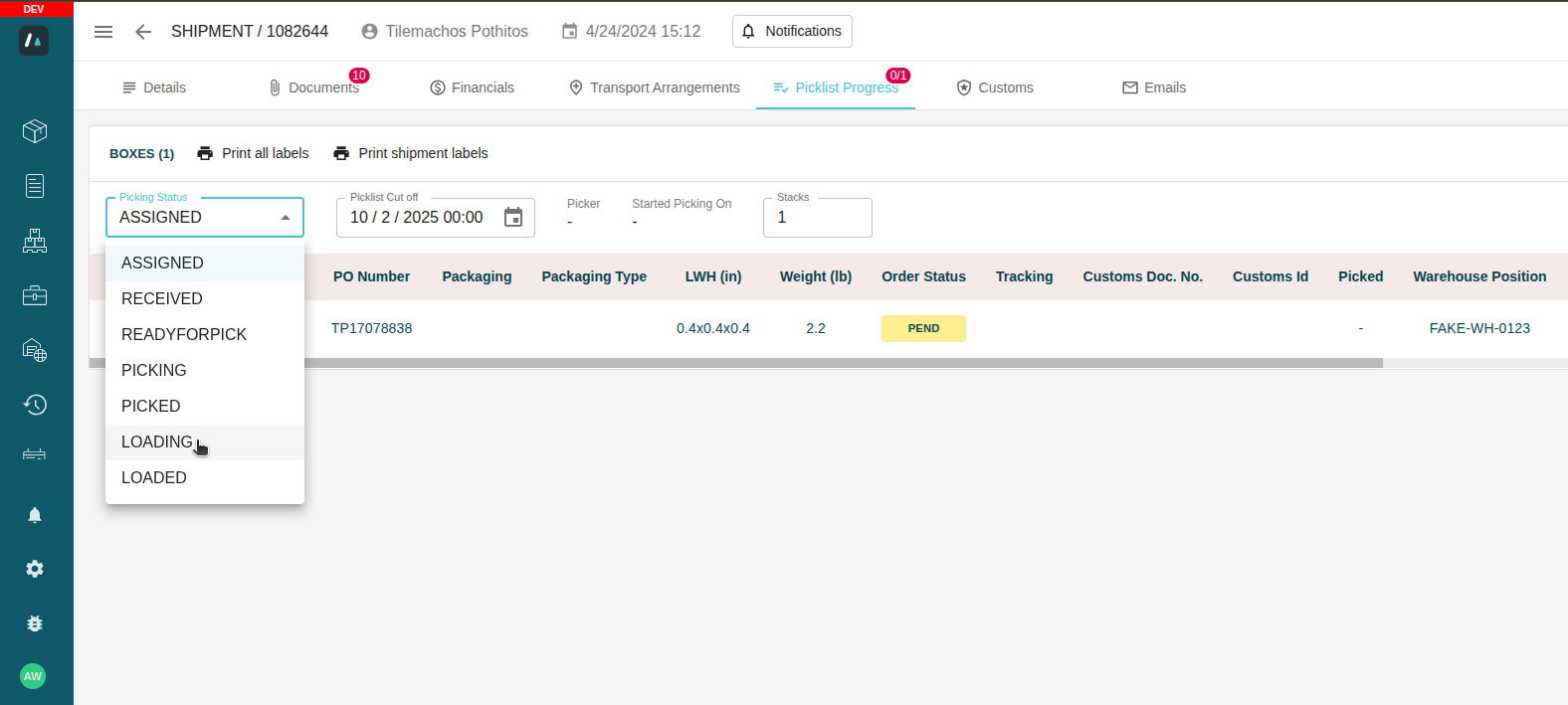
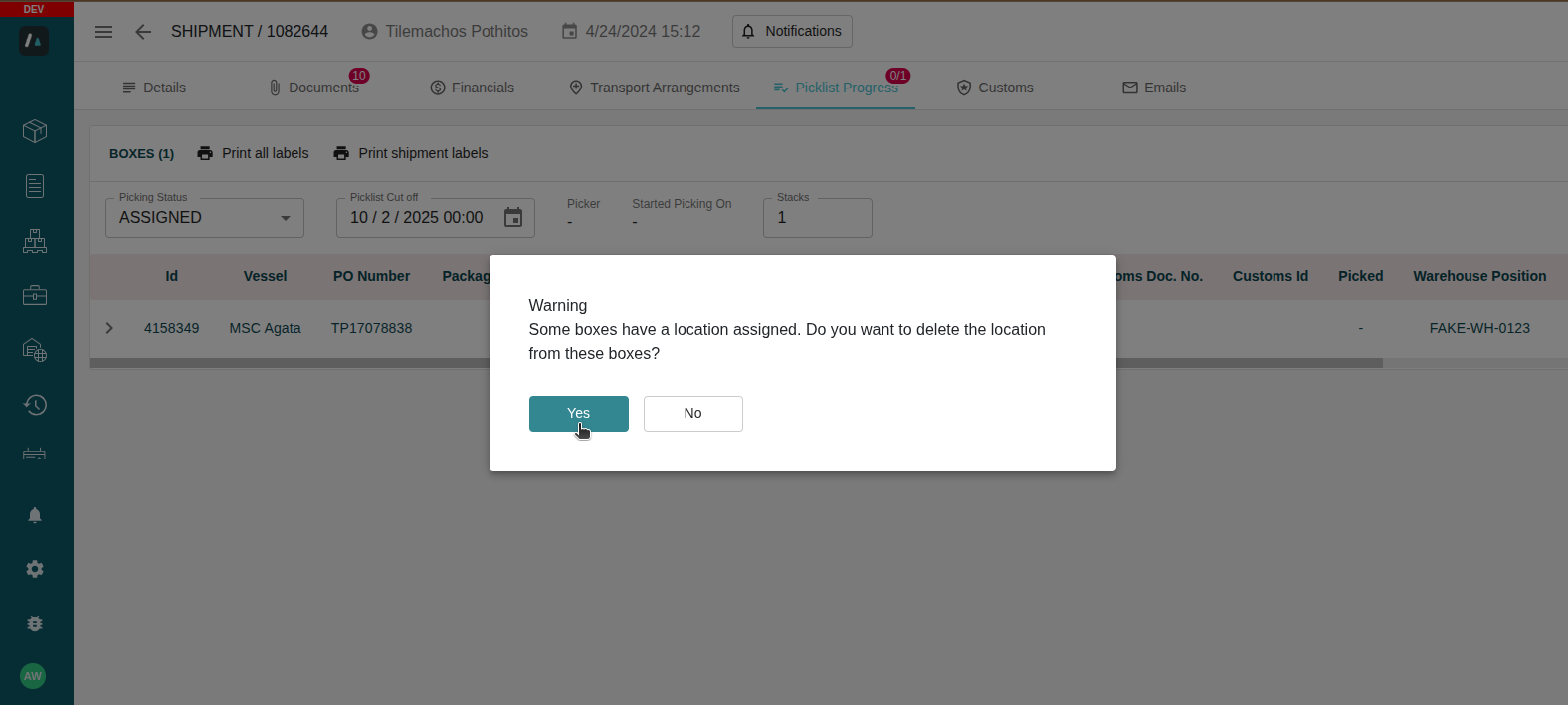
- From there, the warehouse agent can open Picklist Progress and update the picking status to LOADED. If there are positions on the boxes, a pop-up will appear asking if they want to clear them.
- After that, the operator can switch the stock location back to the dispatch’s destination warehouse. At this point, they should be able to update the status to AAD successfully.
Was this article helpful?
That’s Great!
Thank you for your feedback
Sorry! We couldn't be helpful
Thank you for your feedback
Feedback sent
We appreciate your effort and will try to fix the article